Requirements: Android v2.2+
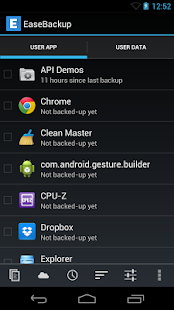
Overview: EaseBackup is a powerful data backup and sync tool on Android, combines with powerful functionality and simplicity, helps to ensure the security of your phone data or sync your phone data between other devices.
***Attention****
For some rooted users, if this app cannot work to backup app data or something else, please try to update your superuser app first, thanks!
EaseBackup is a powerful data backup and sync tool on Android, combines with powerful functionality and simplicity, helps to ensure the security of your phone data or sync your phone data between other devices. Many practical and useful features, including backuping app and data on your SD card, cloud backup, schedule backup, app freezer, app quick aciton panel, and more. Well interface design makes everything simple and easy, you just need few click to finish your work.
***Features***
1. Backup & restore app’s apk
2. Backup & restore phone contacts, including contacts’ photo
3. Backup & restore SMS and MMS f000h
4. Backup & restore call logs, bookmarks
5. Backup & restore your phone settings, including ringtones, wallpaper, user dictionary
6. Enhanced backup features with ROOT: backuping app’data, Wi-Fi config and passwords, laucher layout and widgets
7. Batch restore app and other data silently and fastly in the background without disturbing you(need ROOT)
8. App quick action panel, providing app information showing, uninstalling, lauching, and guiding to google play
9. App freezer. Freezing some rarely used app may helps saving phone RAM and battery life(need ROOT).
***PRO Features***
1. Unlimited backup history (free version limits to 1)
2. Backup high-definition photo of contacts(only works on Android 4.0 and higher)
3. Sync backup to/from the cloud, makes the migration of phone data between different devices easier, and enhance the safety, supports Dropbox and GoogleDrive
4. Scheduled backup. Flexible and powerful configuration makes backup work much simpler
5. Auto backup apk file when new app installed or updated
***About permissions***
Read/Modify contacts
Read/Write text messages (SMS and MMS)
Read/Write call log
Read/Write user-defined dictionary
Read/Write web bookmarks
Set wallpaper
These permissions required for backup/restore actions:
(1) Modify system settings
This permission is used to restore your ringtone settings
(2) Run at startup
Prevent phone from sleeping
These permissions required for schedule backup
(3) Find accounts on the device
Add or remove accounts
These permission required for Google Drive service
Any bug feedback or suggestion, please contact us:
easebackupfeedback@gmail.com
Recent changes:
1. (Added) Schedule cloud backup
2. (Added) More restore mode for app(local and cloud)
3. (Added) New app sort way(sort by app install location)
4. (Fixed) Feedback bugs
Visit Website
Less description »
Note: all premium features available. no key file needed.
This app has NO advertisements
More Info:
https://play.google.com/store/apps/d…ier.easebackup
Download:
http://ul.to/fzw61j1b
http://extabit.com/file/279kjktijneck
Free Download Ease Backup Pro v1.05 Android apk
